Provider operations
Control the service across clients
Manage branding, employer setup, client organizations, and permissions for your service.
EOR provider infrastructure
Offer clients branded onboarding, payroll operations, and reporting. UPP provides the software; your employer entities retain legal-employer responsibility.
Book a tailored walkthrough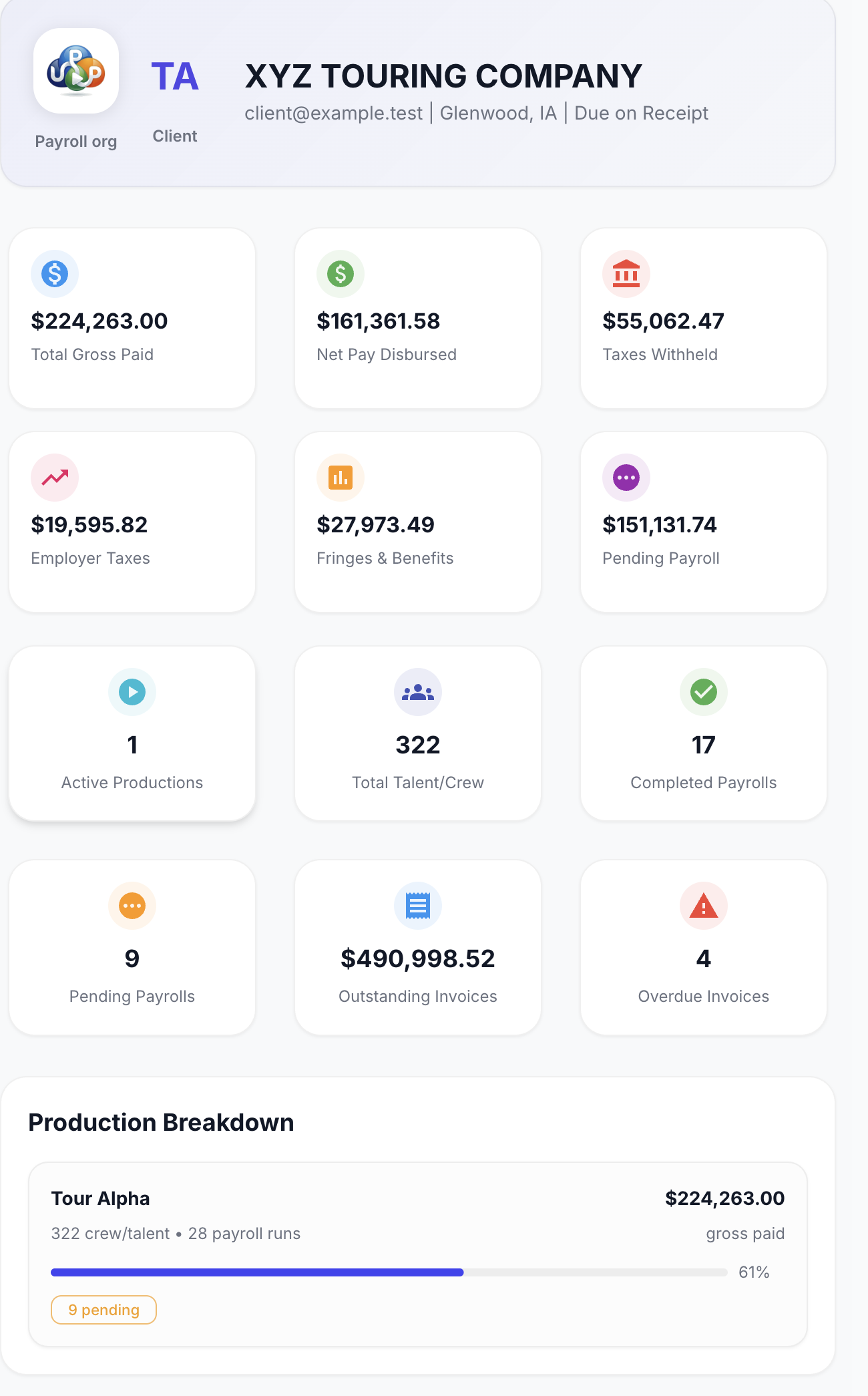
Inside UPP
Explore onboarding and finance screens with demo data. The CFO view shows provider-side reporting; client access is managed separately.
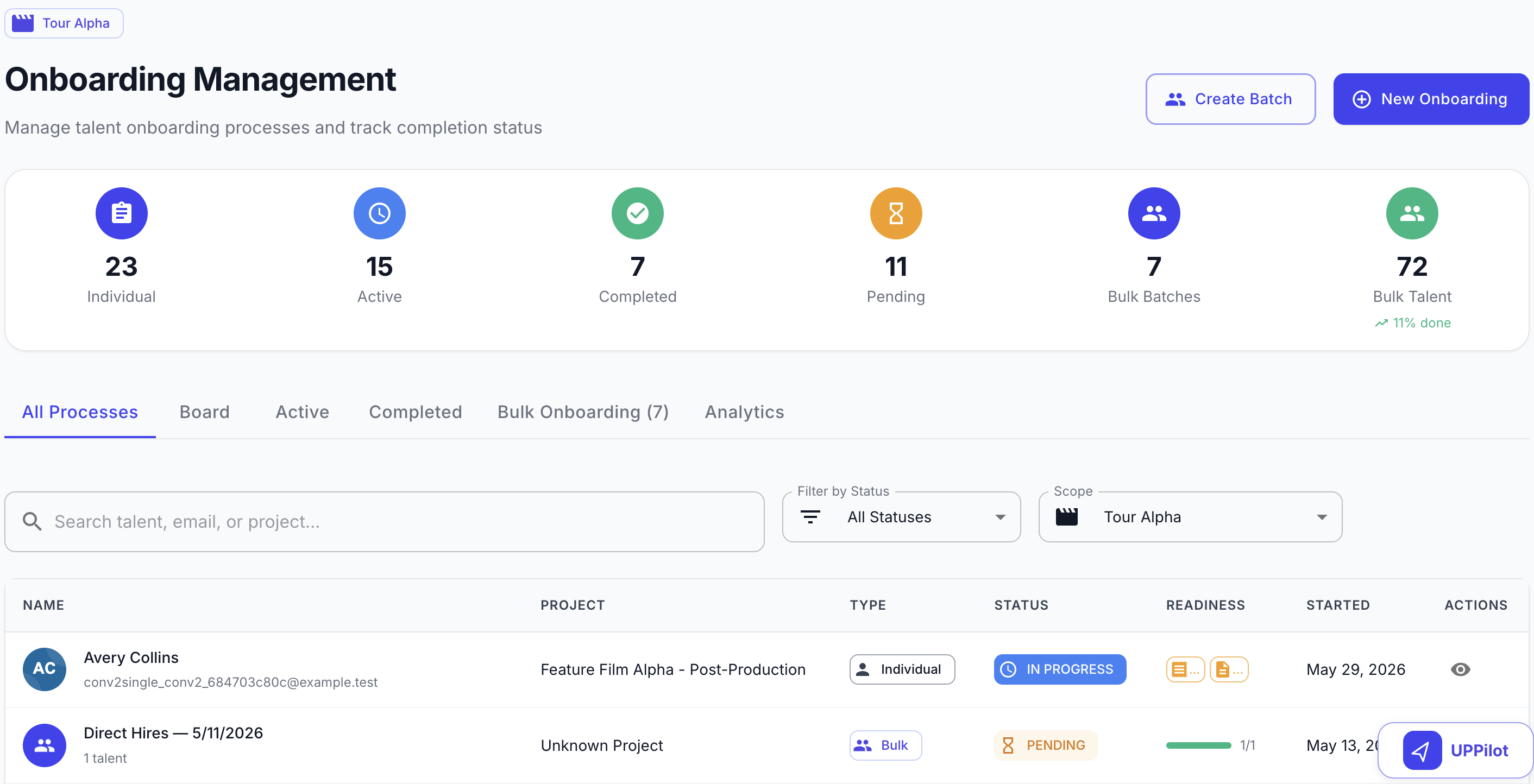
Follow individual and batch onboarding progress, filter by status, and review outstanding items before the responsible team approves readiness.
Operational sequence
Set up your employer and client structure, review the work and keep clients informed throughout the service.
Set up your branding and employer entities, then review the EIN, tax-handling, and banking configuration your service uses.
Create separate client organizations with their own productions, billing records, and authorized administrators. Keep each client’s records separate.
Provide client administrator portals and worker portals under your brand. Your provider team controls who can view records, approve work, and make payments.
Workers complete onboarding through their portal. The responsible provider or client team reviews the submission and resolves outstanding items before approval.
Review payroll approvals, funding, payments, and tax operations against the correct employer and client. Keep outstanding questions visible to authorized teams.
Provide client reporting and audit history for the organizations each user is authorized to manage, while keeping each client’s records separate.
The right operational view
Provider operations
Manage branding, employer setup, client organizations, and permissions for your service.
Client administrator
Review productions, worker readiness, and client reports. Approval and payment actions depend on the permissions your provider assigns.
Payroll
Review payroll approvals, funding, payments, and tax operations with the employer, banking, and client records behind them.
Compliance
Review onboarding completion, exceptions, access, and audit history. Legal-employer responsibility remains with the provider and its configured entities; UPP does not become or assume the provider's legal employer status.
Plan your next step
Start with your workflow. Use the walkthrough to confirm the setup, responsibilities and tools your team needs.
UPP provides the software infrastructure. Legal-employer responsibility remains with the provider and its configured employer entities. The walkthrough should establish the employer, tax, funding and operational responsibilities for your setup.
Client permissions control access to assigned client records and available actions, including viewing production and payroll activity, approving work and paying invoices. A client can have view-only access without payment authority.
The client portal supports organization branding such as the company name, logo, primary color, support email and policy links. Review your desired client and worker experience during configuration.
Review your employer entities, clients, worker onboarding, approval responsibilities, funding process, tax-operation setup and reporting needs. Your proposal should confirm the modules, integrations, implementation and support included.
Connected capabilities
A production-sized walkthrough
Bring your client structure, employer setup, and approval process. We’ll walk through the portals, payroll operations, and reporting your team needs.