UPP 23 / Live events and tours
Show settlement workbook
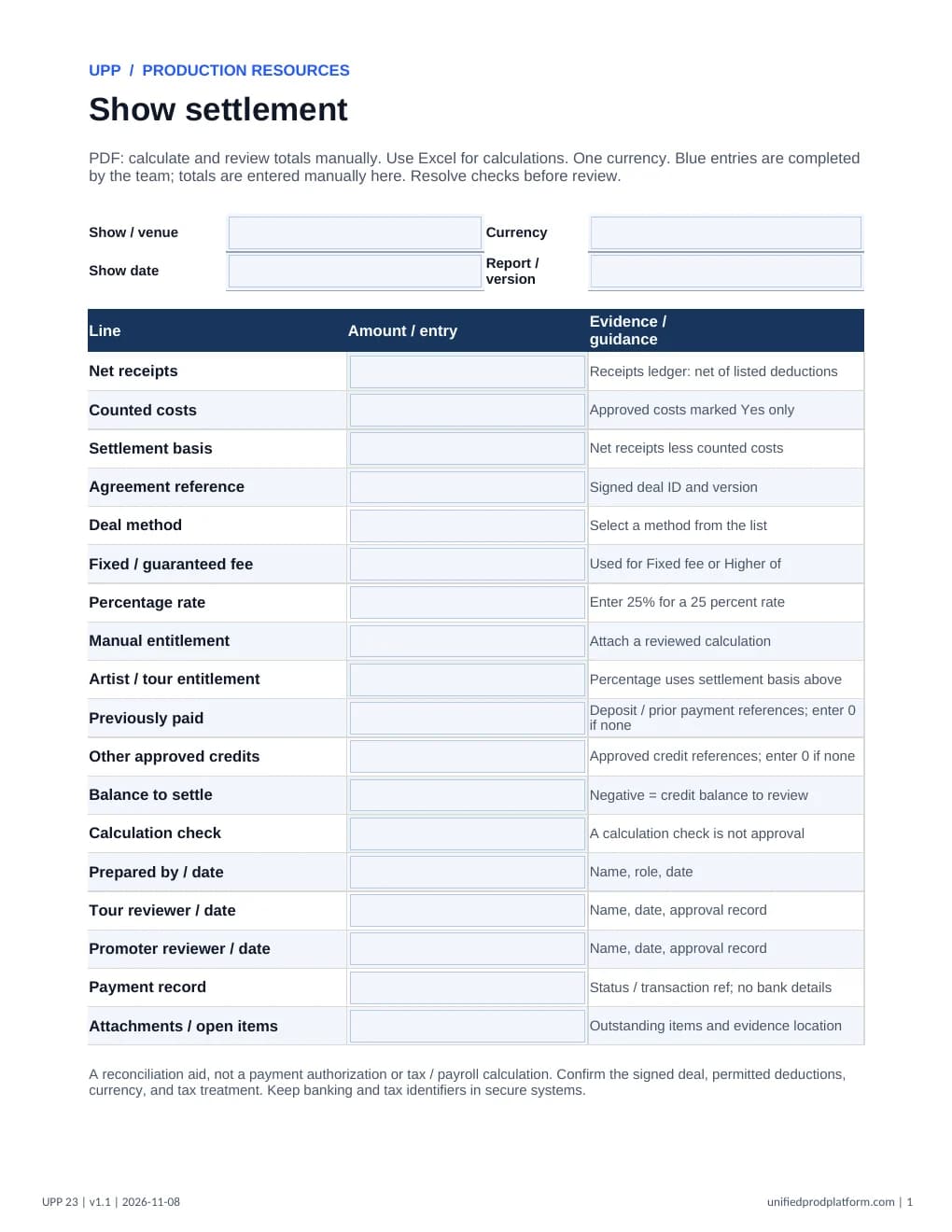
Reconcile a live show from documented receipts and approved costs to the agreed artist or tour entitlement and remaining balance.
4-page fillable PDF + protected Excel · Version 1.1 · Updated November 8, 2026 · No sign-up
A clear starting point.
- Made for
- Promoters, tour managers, venue finance teams, and settlement reviewers
- When to use it
- At show closeout, after ticketing reports, approved deductions, and the signed deal are available.
What is included
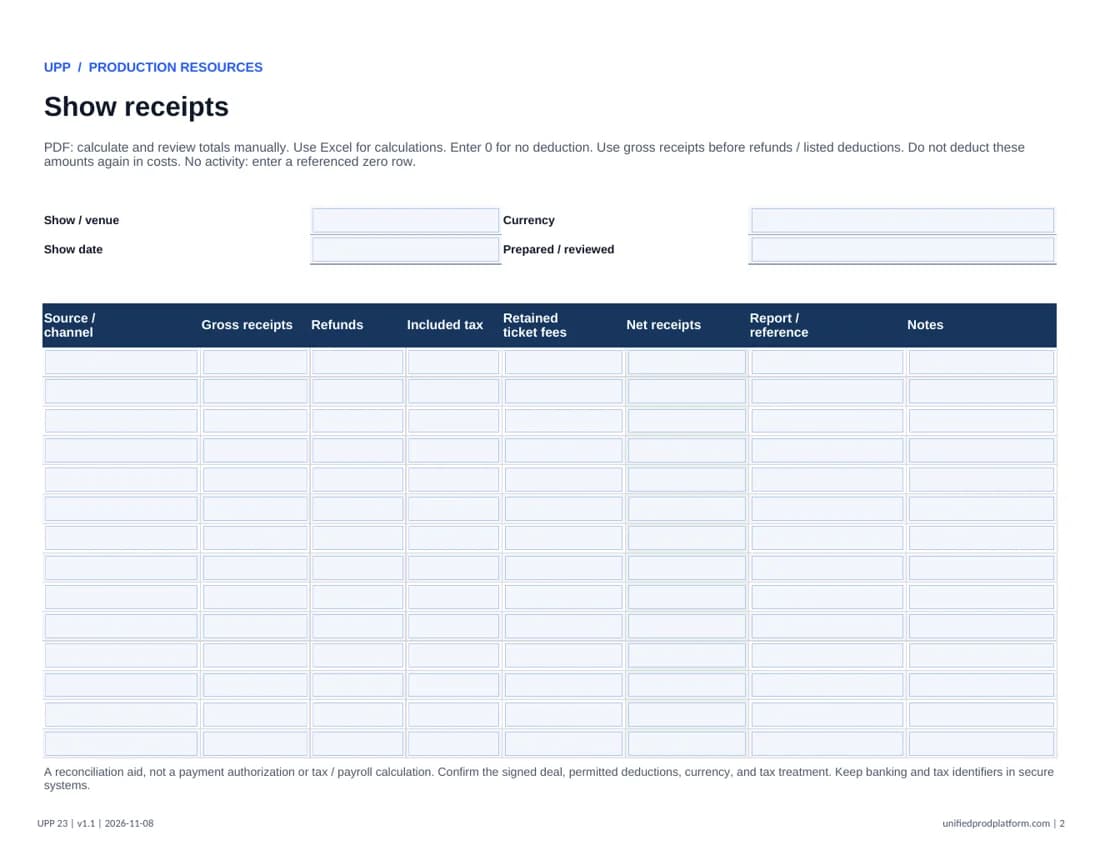
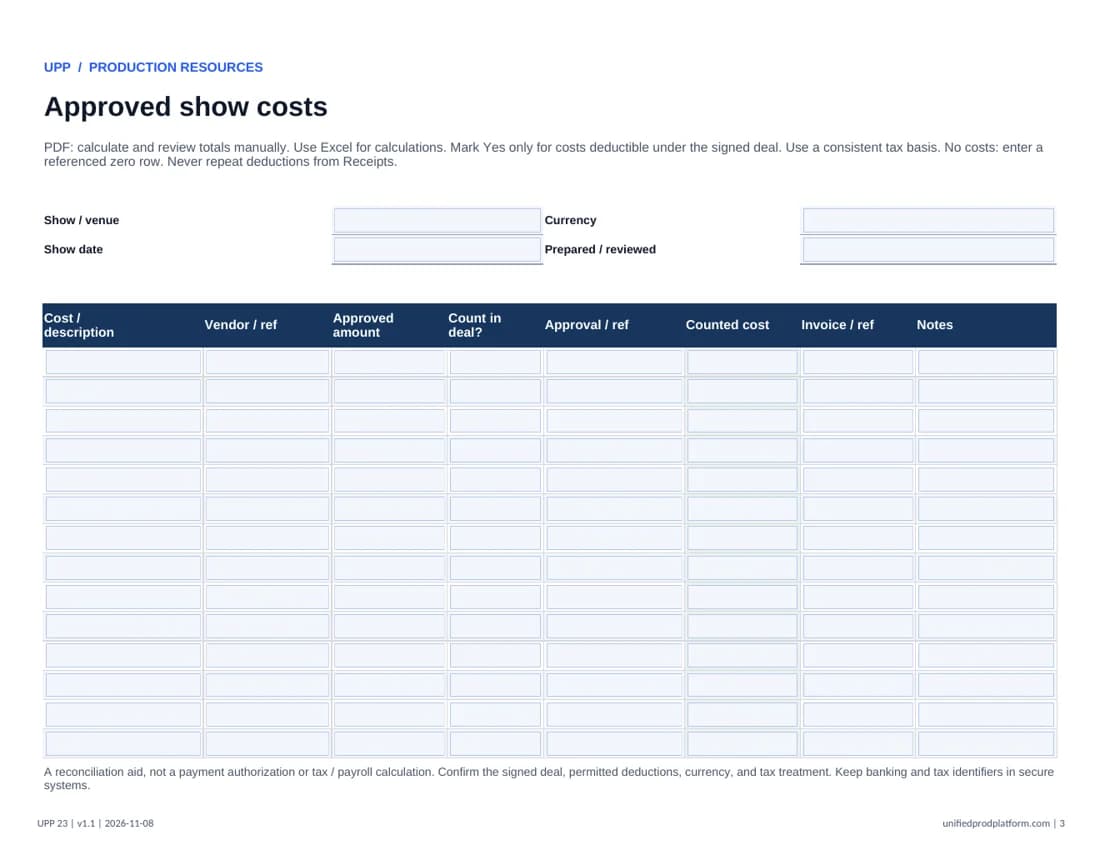
- Receipts and approved cost ledgers
- Fixed, percentage, higher-of, or manual deal calculation
- Prior payments, signed balance, and review record
How to use this template
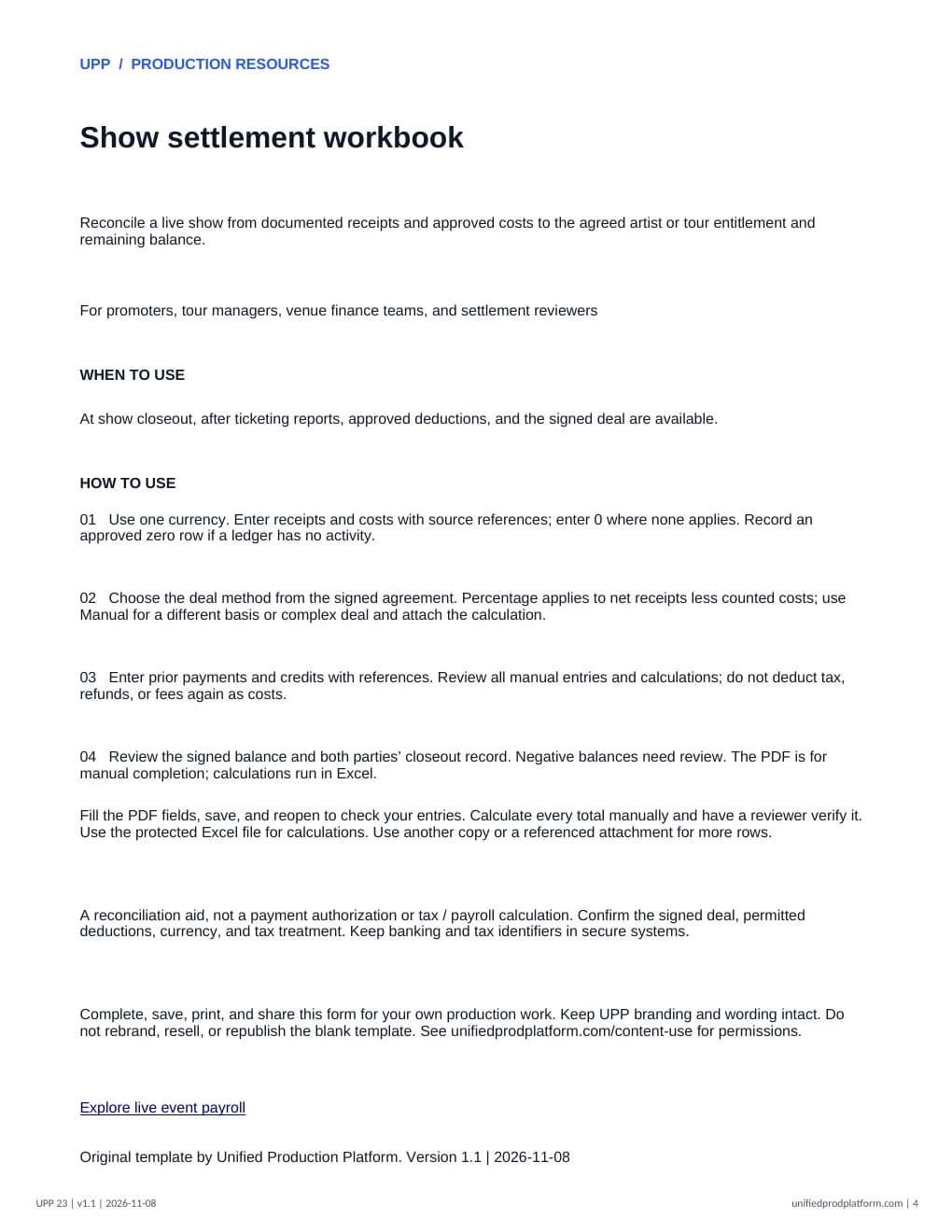
Fill the PDF fields, save a copy, and reopen it to confirm your entries before printing or sharing. Use a desktop PDF reader if your browser does not save fields correctly. Use a referenced attachment when more space or additional terms are needed. Excel entry cells are unlocked; formulas, labels, and sheet structure are protected. Excel calculates totals; the PDF requires manual calculation and review. Start another copy when all rows are used.
- 01Use one currency. Enter receipts and costs with source references; enter 0 where none applies. Record an approved zero row if a ledger has no activity.
- 02Choose the deal method from the signed agreement. Percentage applies to net receipts less counted costs; use Manual for a different basis or complex deal and attach the calculation.
- 03Enter prior payments and credits with references. Resolve Check inputs messages; do not deduct tax, refunds, or fees again as costs.
- 04Review the signed balance and both parties’ closeout record. Negative balances need review. The PDF is for manual completion; calculations run in Excel.
A reconciliation aid, not a payment authorization or tax / payroll calculation. Confirm the signed deal, permitted deductions, currency, and tax treatment. Keep banking and tax identifiers in secure systems.
Complete and share this original UPP form for your production work. Keep UPP wording and branding intact. Check the requirements for your project before use. Content use permissions.
Explore live event payrollPairs well with
Event change orderInside the template
Open full PDF in a new tab